Mica
Product
DesktopProducts overviewAI hardware engineerAI PCB designerAsk MicaDownload
Developers Coming soonEnterprise Coming soon
Resources
DocsTutorialsUse casesCompareGlossaryFAQSecurityTransparencyUpdates
Pricing
Talk to usJoin the waitlist
Product
DesktopProducts overviewAI hardware engineerAI PCB designerAsk MicaDownload
Resources
DocsTutorialsUse casesCompareGlossaryFAQSecurityTransparencyUpdates
Developers Coming soonEnterprise Coming soon
PricingNewsTalk to us
Join the waitlist
Mica

Windows alpha. Designs stay on your computer.

Product

  • Desktop
  • Products
  • Download
  • Pricing
  • Updates

Capabilities

  • AI hardware engineer
  • AI PCB designer
  • Ask Mica
  • MCP
  • Integrations

Use cases

  • What you can build
  • Wearables
  • Connected sensors
  • Motor control
  • All use cases

Resources

  • Docs
  • Tutorials
  • Compare
  • Glossary
  • FAQ

Company

  • Security
  • Transparency
  • Careers
  • Events
  • Contact
  • Explore
  • Developers Coming soon
  • Enterprise Coming soon

Programs

  • Startups
  • Students
  • Nonprofits

Legal

  • Terms of Service
  • Privacy Policy
  • Cookie Policy
  • EULA
  • Usage Policy
  • Responsible Disclosure
  • Policies
© 2026 Mica. Mica by MuscoLabsDrafts of legal terms are pending lawyer review.
Ask Mica

Describe it. Iterate. Ask what changed.

Start from a plain description, ask for changes, and ask Mica what the checks said. The included AI models are not live yet, and until they are, replies are mock.

describe

Start from a description, not a blank schematic

Write what you want to build in normal words. Mica turns the brief into a plan, requirements, parts, and a schematic. Choose Ask, Plan or Auto build mode to set how much it does before asking you.
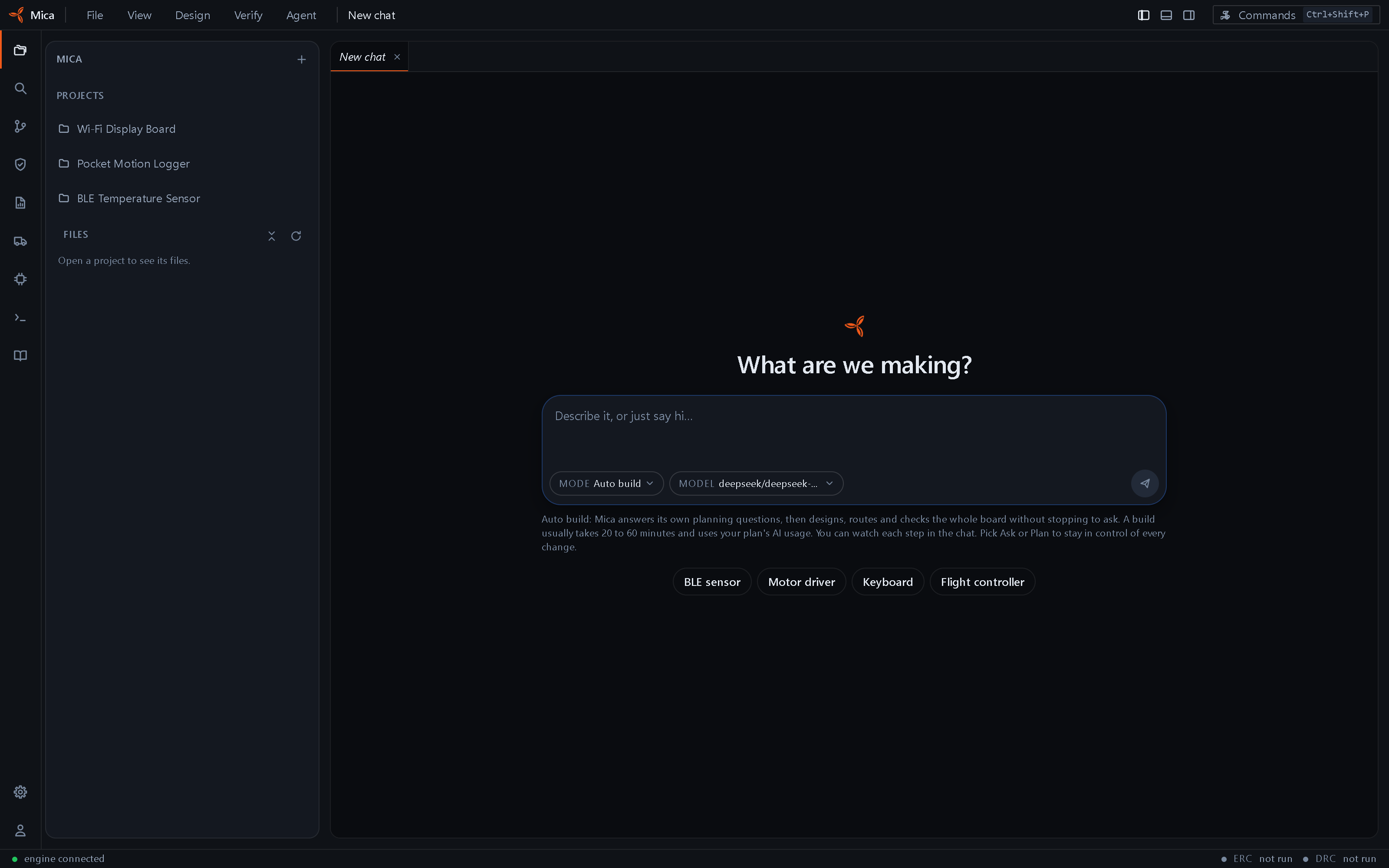
The Mica desktop app on first launch
Real screenshots of the Mica desktop app on four boards it designed. None of them has been made yet.
iterate

Ask for a change, then re-check

Ask for a specific change to a built board, such as moving a connector, swapping a part, or adding a decoupling capacitor. Mica places and routes again and re-runs DRC.

If it cannot parse what you asked, it says so instead of guessing. If DRC fails after the change, it tells you.
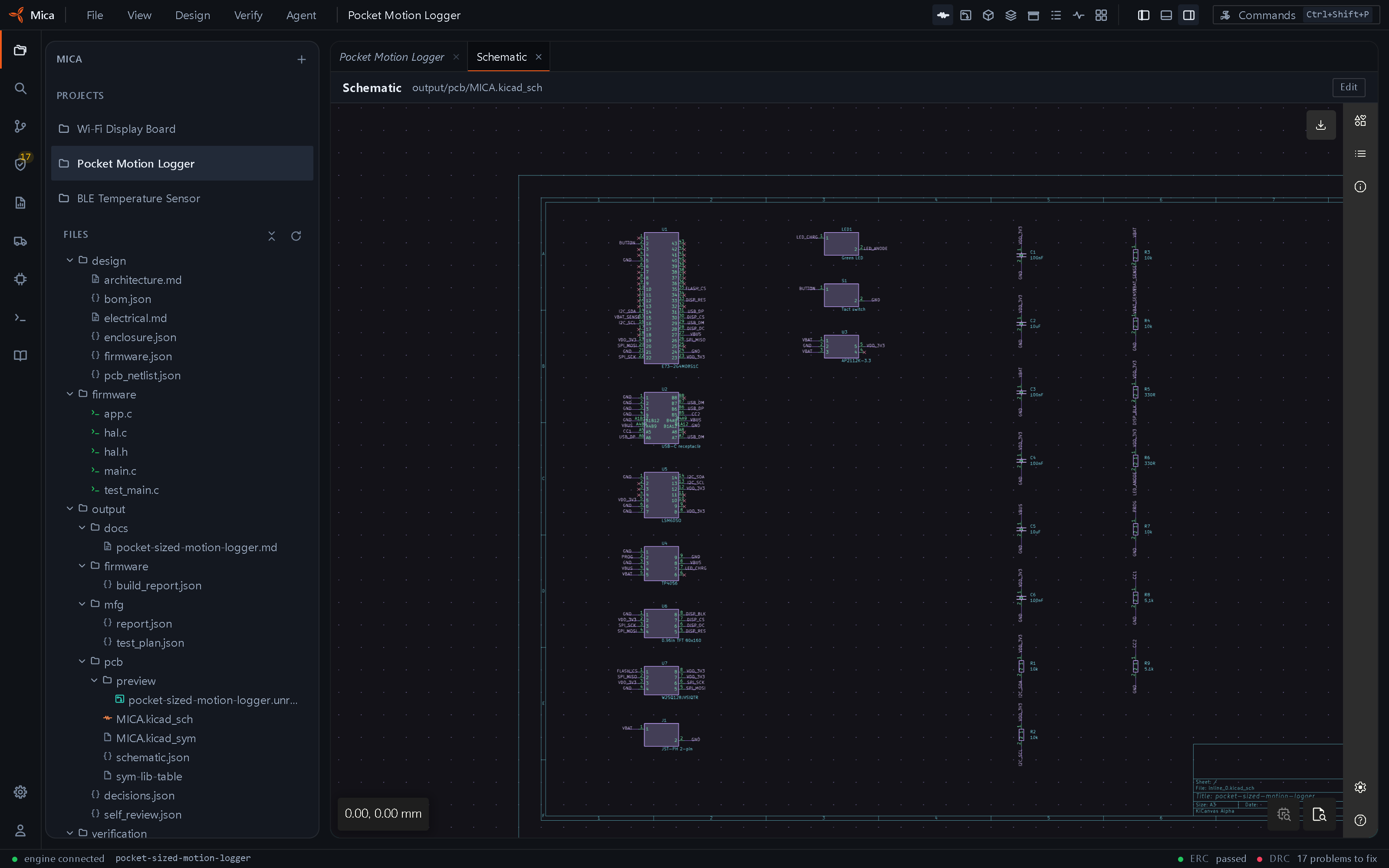
The schematic of the Pocket Motion Logger in Mica
Real screenshots of the Mica desktop app on four boards it designed. None of them has been made yet.
ask

Ask what a change means

Ask about the verification report and the journal: which checks passed, which rule failed, and what changed.

  • Ask which checks ran on a build
  • Ask why a check failed
  • Ask what changed since the last version
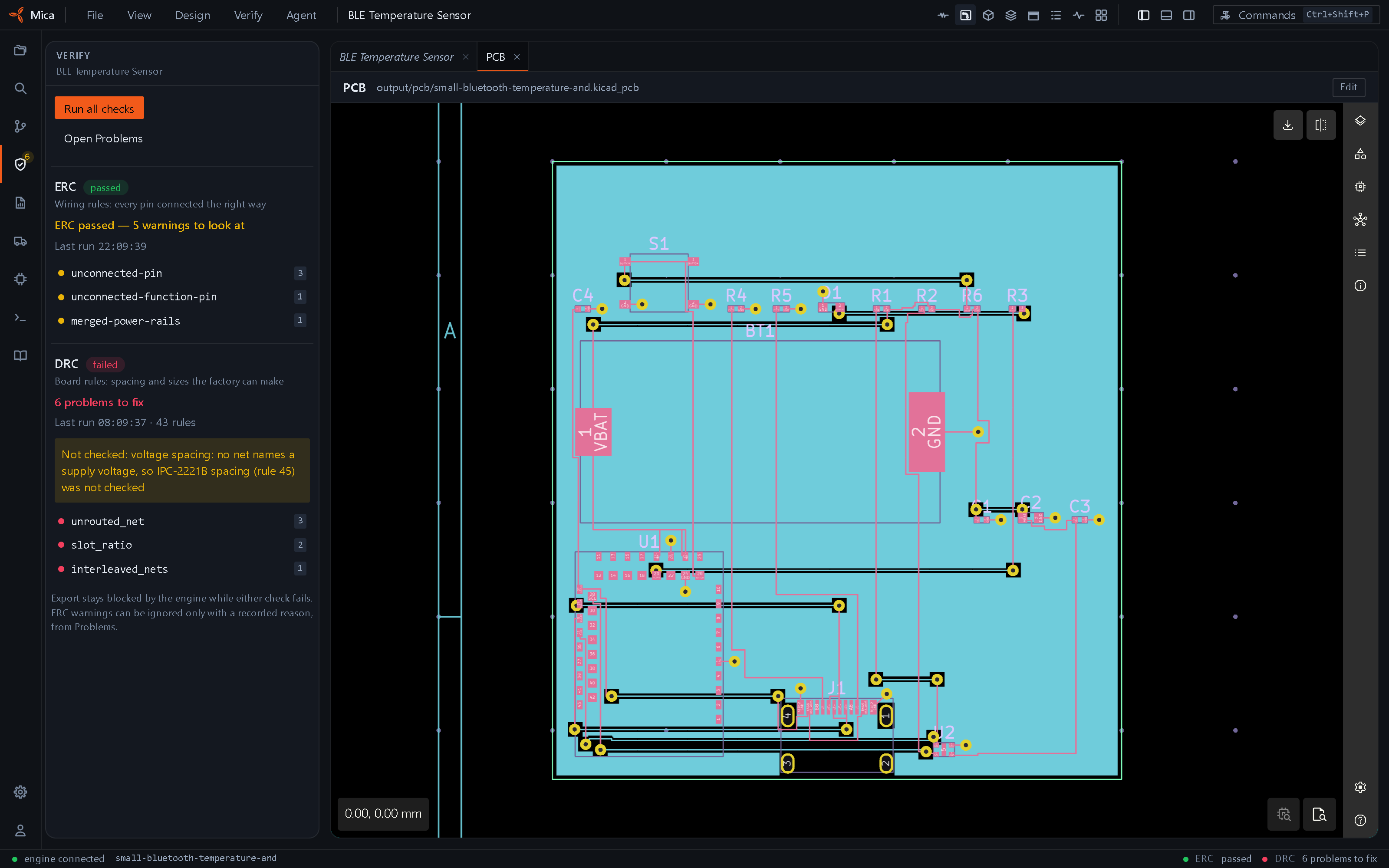
Mica's Verify panel on the BLE Temperature Sensor: ERC passed with warnings, DRC failed with 6 problems
Real screenshots of the Mica desktop app on four boards it designed. None of them has been made yet.

Describe your next device

Mica is pre-release. Join the waitlist and we'll email you when you can try it.

Join the waitlistSee how it works

Start with a description.

Mica is in early development. Join the list and we will tell you when it is ready to try.

By joining, you agree to our Privacy Policy. We will only email you about Mica’s launch, and you can ask to be removed at any time.

We will email you when there is something to try. No spam.