Everything Mica makes. One checked pipeline.
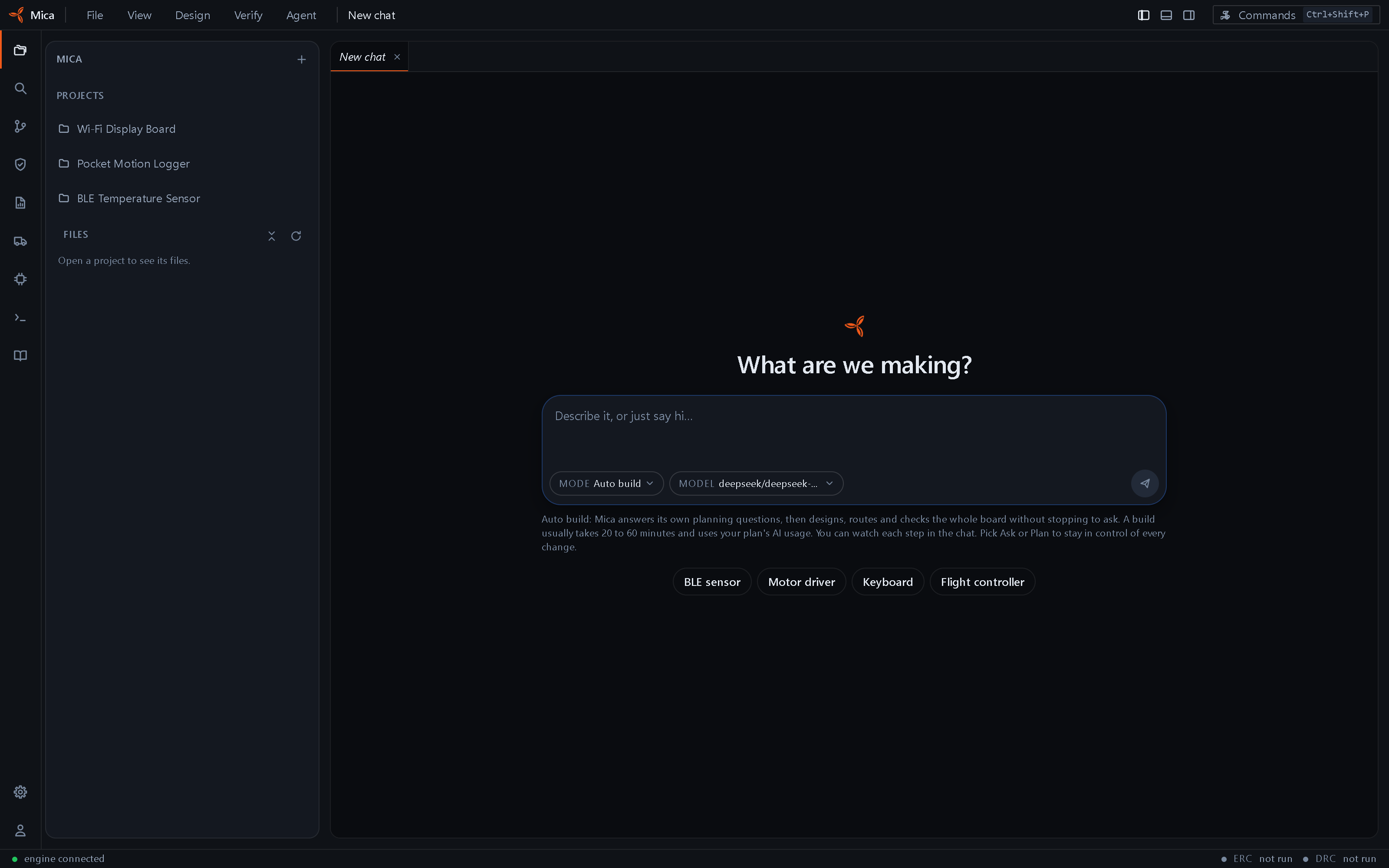
Describe a device. Mica plans it, picks parts, and drafts the schematic and board, then checks the result and tells you plainly if it failed. Simple boards can route and pass. Many still fail. Mica is pre-release.
Watch a plain sentence become a board.
The loop at the heart of every product below: describe, draft, route, check, export.
- 01
Describe
Type what the device should do, in plain language.
- 02
Draft
The schematic is drawn and the wiring is checked (ERC).
- 03
Route
The board is placed and routed on your computer. Many boards still fail here.
- 04
Check
Design rules (DRC) run on the routed board. A failure is reported as a failure.
- 05
Export
If the board passes, factory files are written to your project folder. A board that did not route is never exported.
The desktop app first. More ways in, soon.
Desktop is where Mica is built today. The CLI, the engine and an SDK as products of their own are coming soon.
Mica Desktop
Describe a device. Review the board and case on your computer. Pre-release, Windows, run from source.
Mica CLI
Init, propose, build, and export Gerbers from the terminal.
Mica Engine
Models propose. Deterministic checks such as ERC and DRC decide.
Mica SDK
A JSON-RPC server for custom workflows. No separate SDK package yet.
What a build can write
Each item is a real file in your project folder, not a screenshot of one. Not every build gets this far. Nothing Mica has designed has been fabricated.
- ERC
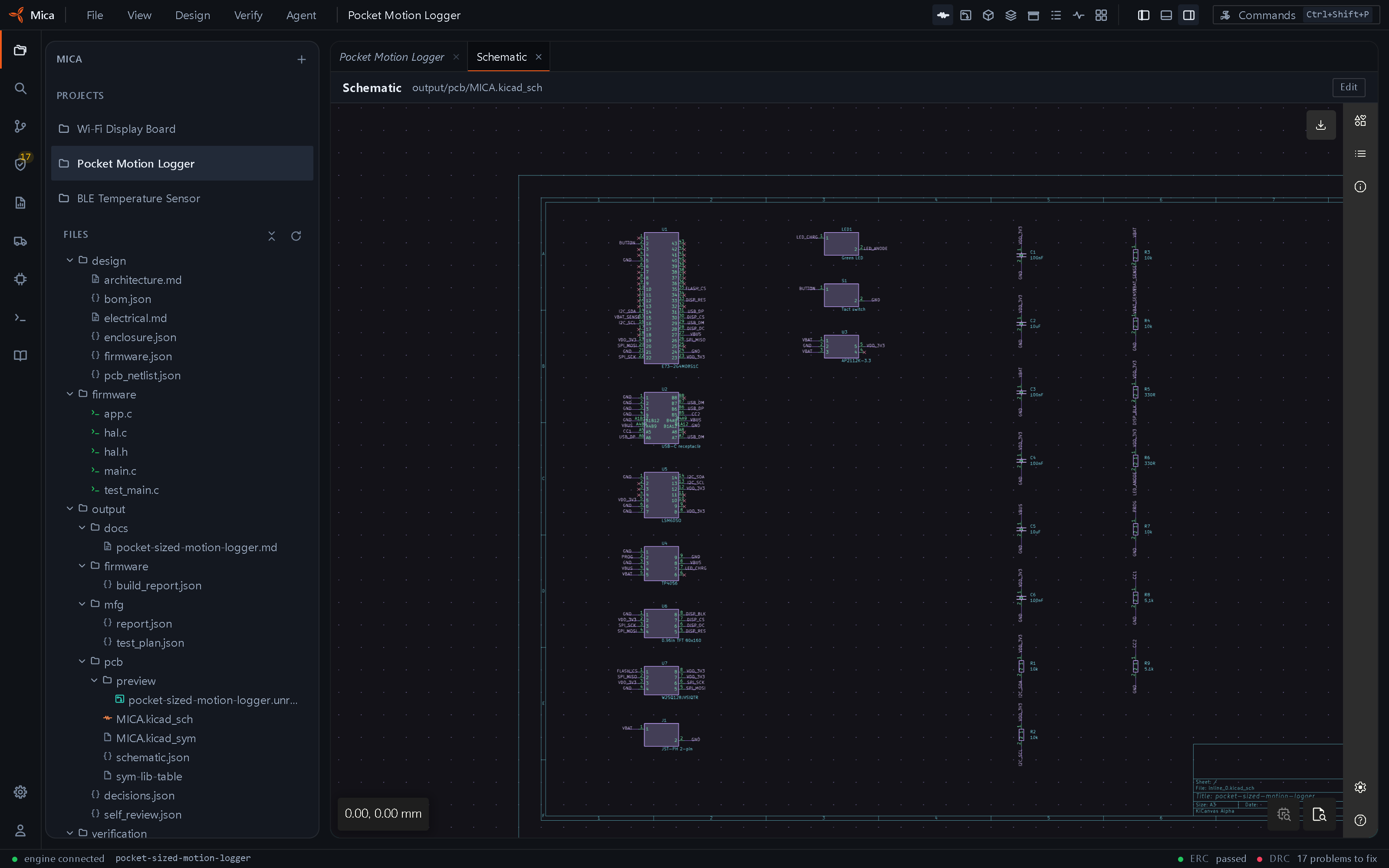
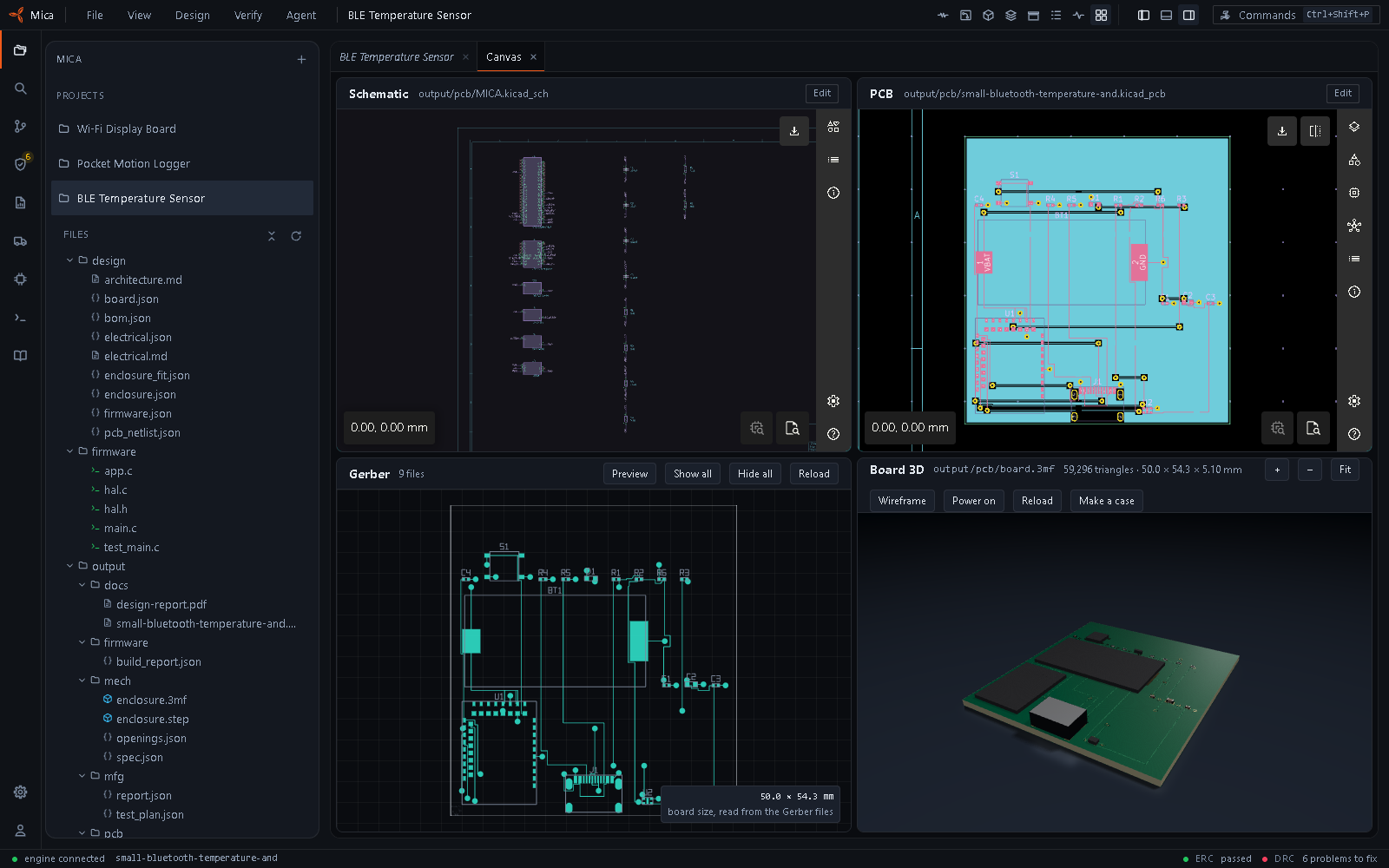
Schematic
The circuit, with the wiring check run against it.
- KiCad
Netlist
Open the netlist and layout in KiCad when you want to.
- DRC
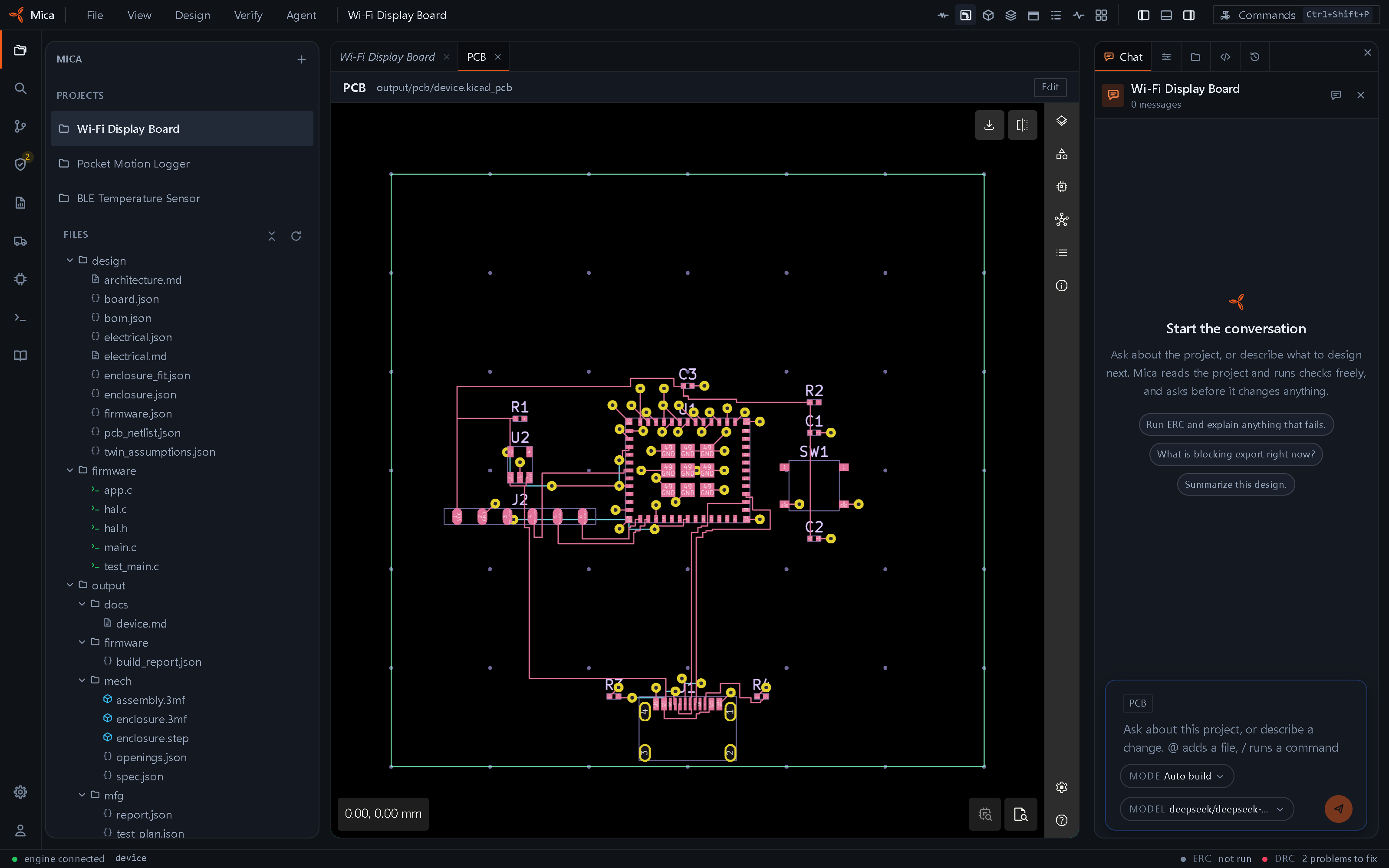
Routed board
Copper paths routed and design rules checked, when routing succeeds.
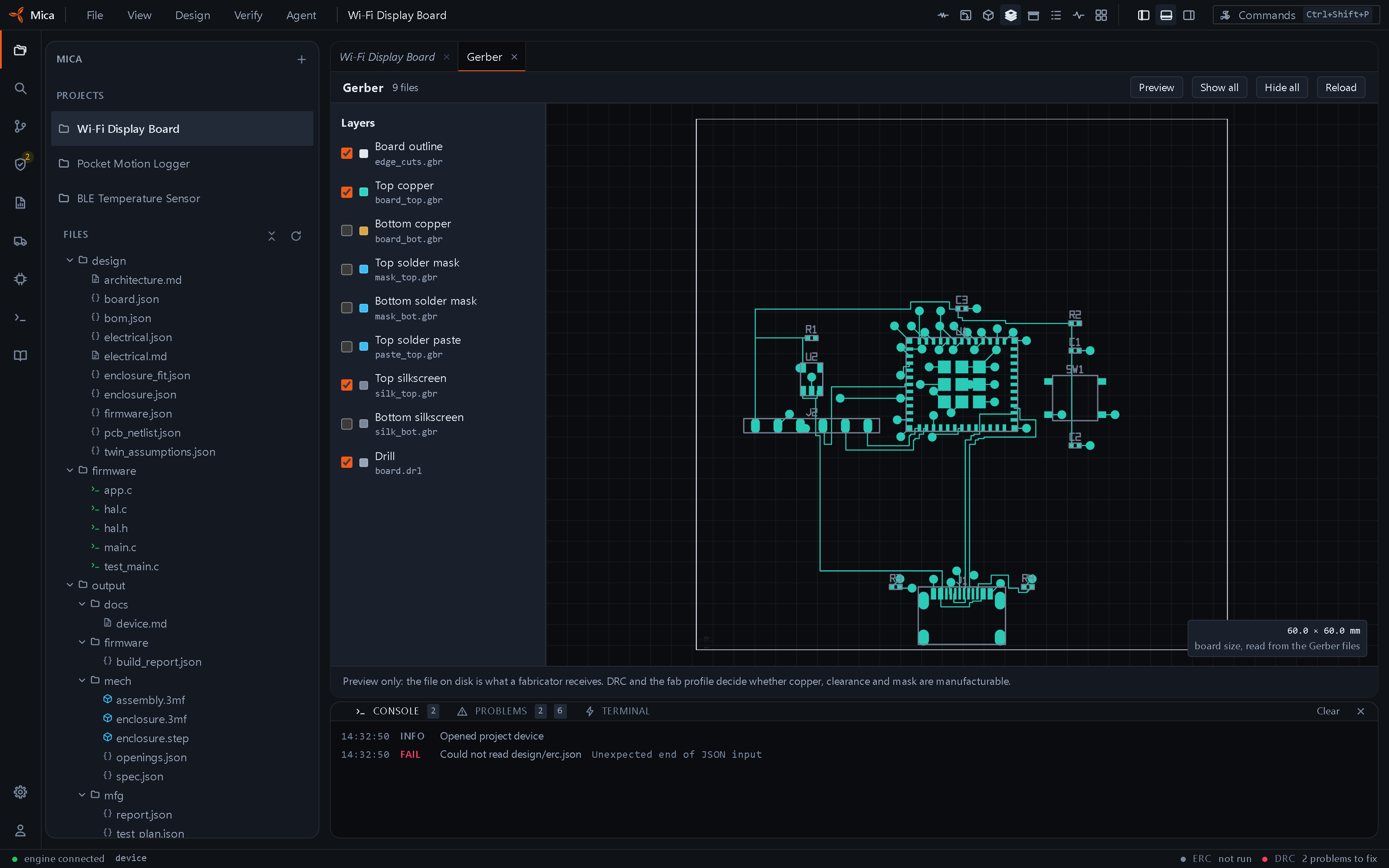
- Gerber · Drill
Factory files
Gerber and drill files, for a board that passes.
- Pick-and-place
Assembly files
Pick-and-place positions for assembly.
- BOM
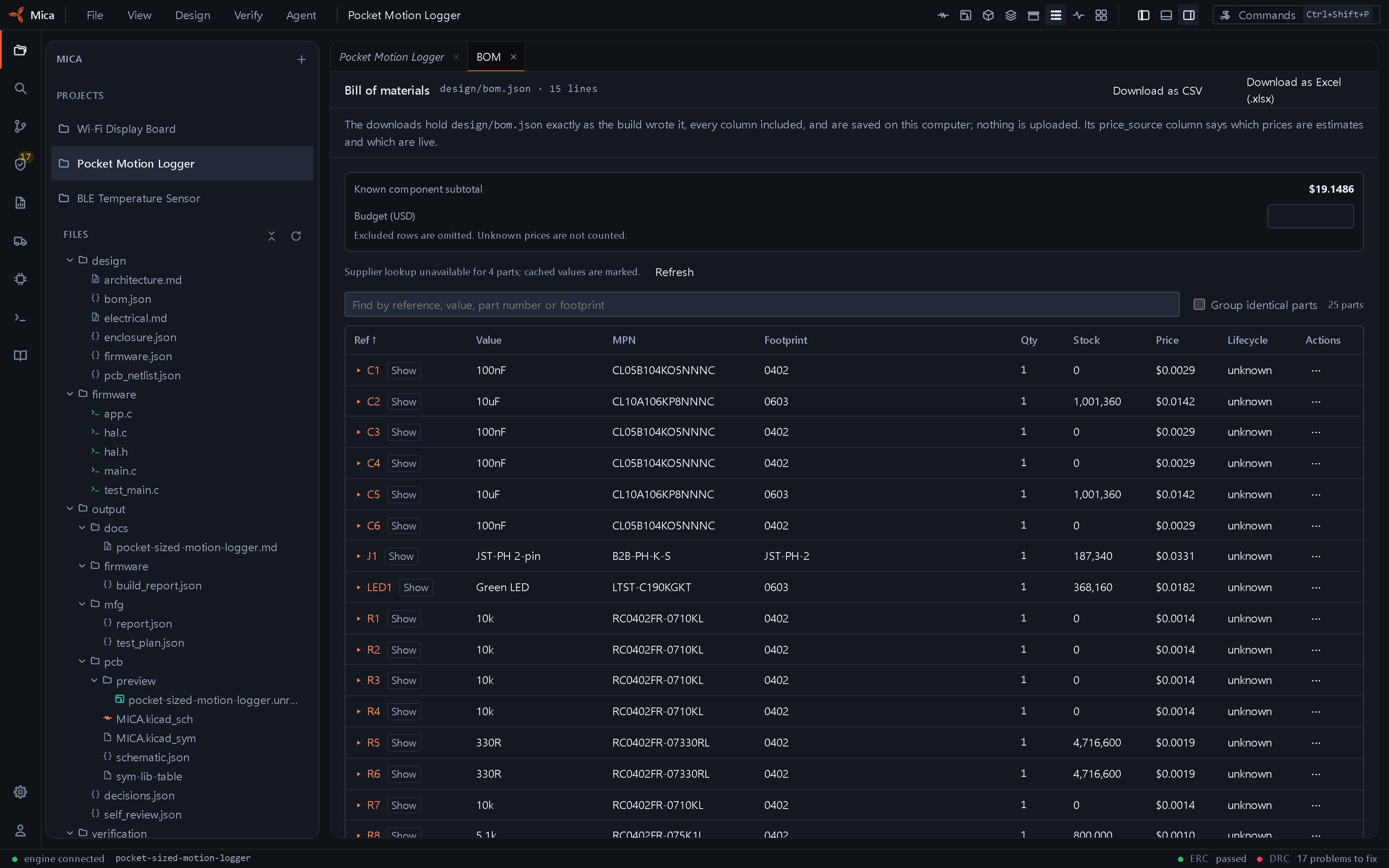
Bill of materials
Every part with a trust label, and stock and price shown as indicative estimates, not live distributor data.
- Host only
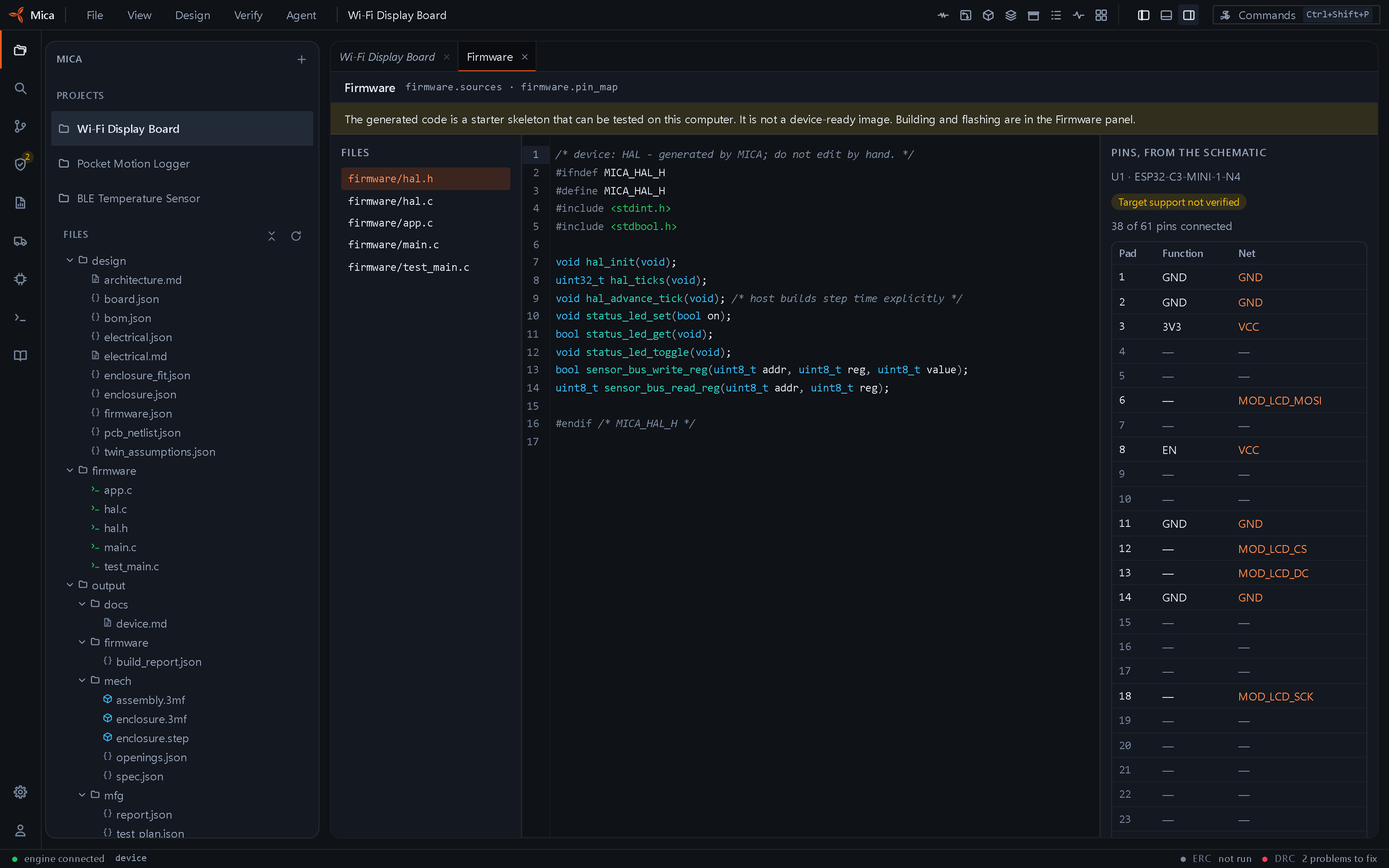
Placeholder firmware
Compiles and passes tests on the host computer against a simulated register map. It is not firmware for a real chip. Do not flash it.
- STEP · 3MF
3D case
Case files sized to the board. No openings for connectors yet.
What those files look like in the app.
Real captures from the desktop app, on three boards Mica designed. None has been made yet.
Then open it, read it, change it.
The desktop app shows the files Mica wrote, the checks it ran, and the result of each. A failing check is shown, never hidden.
Your workspace is a local git repository on your computer, so every version is yours to review.
- Project files stay on your machine
- Models only propose; the checks decide
- A board that fails is shown as failed
Start with a description.
There is no public download yet. Join the waitlist and we'll email you when there is.
Start with a description.
Mica is in early development. Join the list and we will tell you when it is ready to try.
By joining, you agree to our Privacy Policy. We will only email you about Mica’s launch, and you can ask to be removed at any time.
We will email you when there is something to try. No spam.